
General Air Purifier Questions
How big of an area will this clean?
Your Winix Air Purifier room size will depend on the model you have. Each Winix Air Purifier model is AHAM Verified to an optimal room size based on its Clean Air Delivery Rate (CADR). The Clean Air Delivery Rate (CADR) is the removal rate of particles in a given period of time and the method of calculation is the Smoke CADR multiplied by 1.55 to get the optimal room size. This recommended room size is based on an 8ft high ceiling and is measured off the highest fan speed (Turbo) in CFM (Cubic Feet per Minute).
Room Size = Smoke CADR x 1.55
| AHAM Verified Room Size (sq ft) (based off an 8ft high ceiling) | CADR – Clean Air Delivery Rate (Dust / Pollen / Smoke) | |
| A230 | 230 | 149 / 154 / 147 |
| A231 | 230 | 149 / 154 / 147 |
| HR900 | 300 | 200 / 220 / 194 |
| 5300-2 | 360 | 243 / 246 / 232 |
| 5500-2 | 360 | 243 / 246 / 232 |
| 6300-2 | 360 | 243 / 246 / 232 |
| C535 | 360 | 243 / 246 / 232 |
| C545 | 360 | 243 / 246 / 232 |
| C555 | 360 | 243 / 246 / 232 |
| AM80 | 360 | 233 / 240 / 230 |
| AM90 | 360 | 233 / 240 / 230 |
| D360 | 360 | 233 / 230 / 235 |
| D480 | 480 | 312 / 348 / 310 |
| C909 | 500 | 336 / 384 / 323 |
| XLC | 620 | >400 / >355 >400 |
| XQ | 698 | >400 / >450 / >450 |
Are air cleaners good for allergy sufferers?
Yes, air purifiers have been tested and shown to help remove allergens and many other particles and odors from the air. All Winix Air Purifiers have True HEPA filtration which will capture 99.99%* of particles such as pollen, dust, pet dander, smoke, and other ultrafine particles (as small as 0.003 microns). Overall, studies have shown that Air Purifiers can:
- Reduce allergies
- Fight asthma and other respiratory issues
- Reduce smell and odors
- Clean air from pet’s hair
- Help you live a healthier lifestyle
- Protect you against outdoor pollution
- Decrease risks of contamination
- Reduce headache causing allergens
- Cleans the air when you’re cooking
- Benefit your skin
Source: Accuweather
What certifications do Winix air purifiers have?
We feel that it is extremely important to provide customers with as many certifications as available, in order to provide assurance of product effectiveness.
- AHAM Verifide® – Winix proudly participates in the reputable AHAM (Association of Home Appliance Manufacturers) Clean Air Delivery Rate (CADR) program which is tested and proved for their ability to remove smoke, dust, and pollen from the environment. The Association of Home Appliance Manufacturers (AHAM) is one of the most reputable standards for air cleaner performance in the industry. Their standards and methods of testing are credibly recognized and valued by many manufacturers and retailers in the U.S market.
- Energy Star is the trusted, government symbol for energy efficiency, helping you stay cost efficient while protecting the environment. The energy efficiency of ENERGY STAR certified models is measured based on a ratio between the model’s CADR for Smoke and the electrical energy it consumes, or CADR/Watt. All Winix Air Cleaners are Energy Star qualified products.
- UL (Underwriter’s Laboratory) and ETL Safety –UL certified means that the product meets specific, defined requirements that are often based on UL’s published and nationally recognized Standards for Safety.
- CARB – The California Air Resources Board, also known as CARB or ARB, is the “Clean Air Agency” of the California State Government. All Winix Air Purifiers sold in North America are CARB tested, approved and issued an EO certificate.
- FCC – FCC certification is a certification for US made or sold electrical goods. It verifies that the radio frequency emitted is within the approved limits of the Federal Communications Commission (FCC).
- Prop 65 – All of our products abide by the California Prop65 hazardous material list requirements.
How often do I need to replace the filters?
It is recommended that all True HEPA filters be replaced every 12 months to maintain the best performance and efficiency from your Winix air purifier. Depending on the type of carbon filter your model has, it will need to be replaced every:
Activated Carbon Filter: 3 months
Washable AOCTM (Advanced Odor Control) Carbon Filter: 12 months
Coated DeOdorization (CD) Carbon Filter: 12 months
Ultimate Pet Pre-Filters: 1 month
When the filters need to be replaced, the Filter Replacement Indicator LED will also illuminate on the control panel. With proper care and use, the Washable Fine Mesh Pre-Filter is a permanent filter and does not need to be replaced.
How do I replace the filter?
Proper instructions for replacing your filter will be in your user manual or on the back of your new replacement filter box, however the general steps for replacing your filters are below:
- Remove the front panel by grasping its upper edge and gently pulling forward.
- Remove the Pre-Filter, then the old filters behind it.
- Remove the protective plastic bag from the new filters.
- Install the filters until they fit securely in place in this order:
- True HEPA Filter (back)
- Carbon Filter (middle)
- Pre-Filter (front)
- After filters are installed, close the front panel.
- After replacing your True HEPA Filter, place the Pre-Filter back in and close the Front Panel. While the unit is on, hold the Filter Reset Button for at least 5 seconds until you hear the beep. After the beep, the Filter Replacement Indicator will disappear. Your Winix True HEPA is now reset.
Can I leave my air purifier on all the time?
Yes you certainly can and we actually recommend doing so because your air purifier uses smart sensors to adjust the fan speed. During auto mode your model will be automatically adjust the fan speed that is necessary to maintain a healthy, comfortable environment. By leaving your unit running it will continuously be exchanging your indoor air and filtering impurities. When the room is darkened, the unit automatically activates Sleep Mode to ensure continuous, quiet and energy-efficient operation. It changes back to Auto Mode in the presence of light.
Where is the best location to place my air purifier?
To find the best location for your air purifier, you’ll first want to choose the room you want it to be in by asking yourself these three questions:
- Where do I spend the most amount of time (such as your living room or family room)?
- Where do I have the most concern about odors or allergens (such as in your kitchen or where your pets are)?
- Where will it help me the most (such as in your bedroom when you are sleeping)?
After choosing the room, you’ll then want to follow these guidelines to decide on the best room location:
- Allow 12 ~ 18 in. of space between TVs, radios, and other electronics
- Allow at least 12 ~ 18 in. from walls for maximum air flow
- Place indoors away from direct sunlight
- Only place on hard, flat surfaces
There is an odor coming from my air purifier.
Don’t worry. Sometimes when the unit is new, the materials from the filter can “outgas” when they are first opened. Leave the unit running for a day or so and it should clear up. If you are concerned about this, leave the unit running on high in a separate room during this period. It should clear up overnight.
- Odor can occur when filter is contaminated
– Please replace your carbon and HEPA filter and clean or wash your prefilter - Washable AOCTM Carbon filter can cause Odor if not properly washed and dried.
– Please follow the instruction on your user manual for proper maintenance
There is a strange sound coming from my air purifier
Sometimes when the room is very quiet, you may hear a chirping or buzzing sound. The occasional sound is from large particles passing through PlasmaWave®, it is normal and does not signify product failure. This is nothing to worry about and it’s working properly to clean the air. If you don’t like the sound, you can turn the PlasmaWave® function off from your control panel.
Check if there is anything inside the unit (See through the air vent) – Turn the unit upside down to take out whatever got caught inside (Do not try to open the unit)
Check if any part of the unit is loose Need to tighten the loose screws if any – If the fan is making the noise, needs to go through WRA process
Small Flickering noise could be caused from PlasmaWave® – Sometimes when the room is very quiet, you may hear a chirping or buzzing sound. The occasional sound is from large particles passing through PlasmaWave®, it is normal and does not signify product failure. This is nothing to worry about and it’s working properly to clean the air. If you don’t like the sound, you can turn the PlasmaWave® function off from your control panel.
What does the Winix Limited Warranty cover?
The Winix Limited Warranty covers any parts of the machine to be free of defects and provides service and support for the duration of the warranty period from the date of purchase. If any part is found to be defective during the warranty period, Winix will repair or replace the defective part or unit.
The Limited Warranty will be honored under the following circumstances:
- If purchased through an authorized dealer or retailer.
- Purchase date is within the warranty period (see list for warranties on specific model numbers below).
- The unit has been confirmed defective after troubleshooting with the Winix America Customer Service Team.
- The unit has been operated based on the user manual instructions.
- Genuine Winix® Replacement Filters have been used in the unit and have been changed according to the longevity or filter reset light on the display panel.
The Limited Warranty will be voided if:
- Non-Winix Brand filters are used in the unit.
- One has tried to manipulate or make unauthorized technical changes to the unit.
- Physical damage, abuse, or mishandling has been done to the unit to where it doesn’t function properly.
- The unit has failed to comply with the user manual instructions.
- The unit has been used outside of North America’s voltage capacity outlets.
* For more information visit https://www.winixamerica.com/terms-and-conditions/
What is 3, 4, and 5 Stage Air Cleaning?
Depending on the model you have, your air purifier will be designed to have 3, 4, or 5 stages of filtration. Each stage is counted as a level or layer of filtration where particles or odors are captured. Stages of filtration offered by Winix include:
Ultimate Pet Pre-Filter – First line of defense against pet hair, dander, and visible particles.
Washable Fine Mesh Pre-Filter – Captures the largest airborne particles found indoors
Carbon Filter – For absorbing and trapping odors, VOCs, and household gases (3 Types depending on your model; Activated Carbon Filter, Washable AOC™ Carbon Filter, Coated DeOdorization (CD) Carbon Filter).
True HEPA Filter – Captures 99.99%* of airborne allergens including pollen, dust, smoke, pet dander, and other ultrafine particles as small as 0.003 microns.*Based on independent laboratory tests conducted on inanimate particles as small as 0.003 microns.
PlasmaWave® Air Cleaning Technology
3 Stage Air Cleaning
Carbon Filter
True HEPA Filter
Washable Fine Mesh Pre-Filter or PlasmaWave®
4 Stage Air Cleaning
Washable Fine Mesh Pre-Filter
Carbon Filter
True HEPA Filter
PlasmaWave®
5 Stage Air Cleaning
Ultimate Pet Pre-Filter
Washable Fine Mesh Pre-Filter
Carbon Filter
True HEPA Filter
PlasmaWave®
What is the Air Quality Indicator and How does it work?
The Air Quality Indicator is a visual indicator displays real-time air quality in the room with LED lights.
There will be a color-coded LED light on your control panel that indicates one of three levels of Air Quality: Red (poor), Amber (fair), and Blue (good).
For the XQ, there will be four levels that include: Red (poor), Amber (fair), Green (good), and Blue (excellent).
The AQI works with smart sensors that first detects particles or VOCs in the room. The AQI then calibrates the indoor air quality based on the volume of particles or VOCs detected in the room.
When in Auto Mode, the fan speed adjusts according to the detected amount of gas or particles.
When in Sleep Mode, the AQI light is turned off.
What do the colors mean on the LED?
The LED on the unit that is displayed in different colors represent the air quality in your space.
All Winix Air Purifiers have the AQI (Air Quality Indicator) LED and the Tower XQ also provides the actual contamination figures (PM2.5) on the front hidden display.
All models except the Tower XQ has 3 colors for the AQI, which represents Good for Blue, Fair for Amber, Poor for Red. For Tower XQ it has an additional color which is Green. (Blue is for Excellent in this model, and Green is for Good).
For the PM2.5 level display for Tower XQ, it will show as below.
1~15
Excellent
16~35
Good
36~75
Fair
Above 75
Poor
How many Fan Speeds does my unit have?
Winix Air Purifier have 5 fans speeds which are: Low, Medium, High, Turbo, and Quiet during Sleep Mode. The A230 and A231 models will just have 4 Fan Speeds (Low, Medium, High, Quiet).
Do the air purifiers emit harmful Ozone?
Winix air purifiers do not emit harmful Ozone. It is important to know that safe emission levels should be under 0.05 ppm. Winix products rest lower than 0.01 ppm, leaving you to enjoy the benefits of purified air without worrying about harmful ozone. Air purifiers certified by CARB ensure the unit’s ozone emission level is low enough for consumers to use without having concerns about health. (CARB limits 0.05ppm ozone emission). Winix offers only CARB compliant air purifiers. In fact, Winix air purifiers emit such low levels of ozone that they are considered harmless.
Ozone exposure is more common that you think. Even the purest places on earth like refreshing mountain tops or the beach have ozone present. According to Ozone in the Air, typical ozone concentrations found in the natural atmosphere average at 0.125ppm.
Please refer to our blog ‘Ozone a fresh perspective’ for more information. (https://www.winixamerica.com/2020/11/10/ozone-a-fresh-perspective/)
What is the Air Changes per Hour for my unit?
All Winix air purifiers were verified for its recommended room size under 4.8 Clean Air Changes per hour. This means it will clean the corresponding size of the room 4.8 times in an hour (Every 12 minutes). However, the ACH(Air Changes per hour) will change based on the room size you use. If the room size is bigger than the recommended, the ACH will decrease accordingly. For example, if your unit is a 360sqft room size model, and you run it in 1,740sqft size of a room (4.8 times bigger than 360sqft), it will work with only 1 ACH. But AHAM does not recommend the usage of an air purifier in a space that would cause the ACH to go lower than 2 ACH (As it wouldn’t perfectly reduce the particles in your air). The recommended ACH is 4.8 or more as it will give you the best quality of air.
- Based on an 8ft ceiling height
| ACH | ACH | Room Size (in sq ft) | |||||||
| 5 ACH (every 12 min) | 5 | 348 | 464 | 290 | 222 | 600 | 674 | 484 | |
| AHAM Standard | 4.84 | 360 | 480 | 300 | 230 | 620 | 698 | 500 | |
| 4 ACH (every 15 min) | 4 | 435 | 580 | 363 | 278 | 750 | 843 | 605 | |
| 3 ACH (every 20 min) | 3 | 580 | 773 | 483 | 370 | 1000 | 1123 | 807 | |
| 2 ACH (every 30 min) | 2 | 870 | 1160 | 725 | 555 | 1500 | 1685 | 1210 | |
| 1 ACH (every hour) | 1 | 1740 | 2320 | 1450 | 1110 | 3000 | 3370 | 2420 | |
How do I connect my unit to the Winix Smart APP?
Once you have the Winix Smart App downloaded in your phone, please follow the steps provided in the Winix Smart Quick Guide which you would have had in your unit box. You can also visit our blog Winix Smart (https://www.winixamerica.com/2020/11/03/winix-smart-app/).
Basic Steps are as below.
- Download the WINIX SMART app on your device.
- Login or Register
- Add Your Unit
- Connect to a Local Wi-Fi Network
- Pair to the WINIX SMART Signal
- Define Your Unit Name and Location.
- When set up is complete, the Wi-Fi Indicator will light up.
Once you’re connected, you will be able to explore all the benefits of our APP
What is the MERV rating for my unit?
Winix True HEPA air filters are not MERV rated as they exceed the ASHRAE test protocol 52.2 used in determining the MERV ratings. The MERV scale is primarily a Furnace Filter Grading Scale in the US. Furnace Filters are meant to maximize airflow which is why they don’t perform as well as EPA, HEPA, and ULPA filters for capturing particles.
How does the Sleep Mode work?
Sleep mode is a feature that will help you sleep during night by turning off the LED lights and decreasing the noise level. When activated, all LEDs on unit will go off, and Sleep Mode indicator LED will come on with 33% of brightness of other LED lights. Fan Speed will go down to the lowest possible speed, which will be lower than the ‘LOW’ speed of the unit. Can be activated manually by pressing either the mode button or the fan speed button (depending on your unit).
Also could be activated automatically when brightness of room gets dark (Less than 2Lux) for more than 1 minute. (Automated Sleep mode is not featured for A230 / A231)
In Automated Sleep Mode, it will deactivate if the room gets bright (more than 3Lux) for more than 1 minute.
In Sleep mode, PlasmaWave® will be deactivated automatically. If needed, could activate the PlasmaWave® by pressing the PlasmaWave® button without deactivating the sleep mode
How do the sensors work? What type of sensor does my unit use?
All Winix Air Purifiers have one or more Smart Sensors depending on the model.
Odor Sensor – Senses odorous gases and VOCs in the space. (All Winix Models equipped. Average level of air quality detected in the aging stage becomes the base and is shown as ‘Good’)
Particle Sensor – Senses certain size of particles in the air
(Counts the number of particles. PM10 for HR900 / PM2.5 for Tower XQ)
Light Sensor – Senses the amount of light in the room to activate ‘Automated Sleep Mode’ (Sleep mode activation during Auto Mode – All Winix air purifiers except A230 / A231 equipped)
General Humidifier Questions
Why should I use a humidifier?
People need a certain level of humidity to be comfortable. In the winter, indoor humidity can be extremely low, and the lack of humidity can dry out your skin and mucous membranes. Low humidity also makes the air feel colder than it actually is. Dry air can also dry out the wood in the walls and floors of our houses. As the drying wood shrinks, it can cause creaks in floors and cracks in drywall and plaster. Dry air also increases static electricity.
It can maintain a certain level of humidity for plants and pets in your home.
Does the product require regular cleaning?
Regular cleaning is recommended; approximately every 1–2 times a week. When storing the unit, it is recommended to pour any excess water out and clean it with a soft, damp cloth. Let dry completely before storing.
What is ultrasonic technology?
An ultrasonic humidifier uses a metal diaphragm vibrating at an ultrasonic frequency to create water droplets.
What’s the difference between Evaporative, Ultrasonic, Warm Mist?
| TYPE | ULTRASONIC | EVAPORATIVE | HEAT / THERMAL |
|---|---|---|---|
| Description | An ultrasonic humidifier uses a pulsating diaphragm that vibrates at high frequencies to create water droplets that are added to the air. | An evaporative humidifier operates much like a cool mist evaporator – it does not heat water to create humidity. It is a wick humidifier that uses a fan to circulate humidity. | They heat water to create vapor, which is cooled prior to being released. These systems are less likely to experience bacterial contamination because water is heated. |
| Best Use | They use very little energy and have no operating noise, so they are great to use overnight and in areas where you don’t want to increase noise. | Because they do not generate heat, they are ideal for homes with children and pets. | Warm mist humidifiers are often used to treat colds and the flu during colder months. |
| Output | Cool Visible Mist | Cool Invisible Moisture | Warm Visible mist |
| How it works | Transducer vibrates at ultrasonic frequencies to break water droplets into fine mist. | Fan blows moisture off a saturated wicking filter, helping it evaporate into the air. | Water is heated in a heating chamber, then released into the air as warm mist. |
| Sound | Water dripping as it falls into the reservoir | Fan blowing moisture off filter and into room. | Water gurgling as it’s heated. |
| Humidity | Will keep adding moisture into the air | Cannot add more moisture to the air than the air can hold. | Will keep adding moisture into the air |
| Accessories | may accept demineralization cartridges to remove minerals from the water. | Requires replaceable wicking filter to operate. | may accept demineralization cartridges to remove minerals from the water. |
| Hardwater | Mist may produce white dust mineral deposits from hard water. Distilled water will help prevent this. | Filter will trap minerals helping to prevent white dust. Filter may need to be replaced more frequently. | A Warm Mist Humidifier (With Frequent Cleaning) won’t emit minerals into the room. Minerals can build up inside the tank and clog it. |
| Pros: | white mist for visibility | Easy cleaning, low maintenance | Reduced risk of bacterial contamination |
| Quiet operation | No hot surfaces, safe for children and pets | Reduced mineral dust accumulation | |
| No filters required | Self-regulating and stronger output | Can add inhalants to treat colds and the flu | |
| Extremely energy efficient | discharges less gray/white mist | Quiet operation | |
| Cons: | Bacterial contamination may occur | Operating noise from system fan | Low energy efficiency |
| Mineral dust accumulates | Bacterial contamination | More difficult to clean | |
| Clean frequently with hard water | requires filters | potential safety concern with heat |
Where should I use the product?
It is recommended that you place the product up on an elevated surface and not on the floor. Placing it on a table or nightstand during operation is suggested.
*DO NOT PLACE UNIT DIRECTLY ON CARPET, TOWELS, BLANKETS, HARD WOOD FLOORS OR OTHER ABSORBENT SURFACES as these surfaces may be damaged by water or moisture exposure.
What is a comfortable humidity level?
Forty to fifty-five percent (40–55%) humidity is considered within the comfortable range.
Any humidity level below thirty percent (30%) is considered dry.
What is the difference between warm and cool humidification?
The warm mist feature provides a soothing, comfortable moisture when it comes in contact with your skin. It also has a slightly higher mist output. The cool mist feature simply uses the temperature if the water in the tank and disperses it without any heat.
Do I need to heat the water first if I want to have warm humidification?
No. It is recommended to put room temperature water into the tank for humidifying. When the warm mist feature is activated, the water inside the unit is heated up to 120F and then cooled down to 100F and give the output of comfort and safe mist. Heating the water before putting it in the tank may cause some damage to the ultrasonic membrane.
Do we have any risk of the unit catching on fire due to the heating function?
The unit will shut down before the base of the unit runs out of water (when the tank is empty), so the heating part will never be out of water, which means it is perfectly safe and will not cause any fire.
Will using the warm mist feature heat up my room?
Unfortunately, no. In order to heat up the room temperature, the output mist has to be above 160F, but as this can cause burns, we avoided the temperature from going this high. The mist is comfortable and gives you a warm feeling when touching your skin.
Do I need to put in a certain type of water for my humidifier to work?
You can use either distilled or regular tap water. When using any tap water where the water is hard water, we recommend using demineralization capsules which can be found on winixamerica.com.

How long is the warranty?
The warranty is 1-year limited. For detailed warranty specifications please refer to the warranty section in the instruction manual.
What is a comfortable humidity level?
Forty to fifty-five percent (40–55%) humidity is considered within the comfortable range. Any humidity level below thirty percent (30%) is considered dry.
Controls and Features
Can the LED screen and light be completely turned off and still have the unit running?
Is there a filter that needs to be replaced and how often?
Winix Ultrasonic Humidifiers don’t require filters, which is one of the biggest benefits about the ultrasonic type humidifiers. If you want to upgrade or enhance your Winix Humidifier, we offer demineralization capsules and aroma pad accessories.
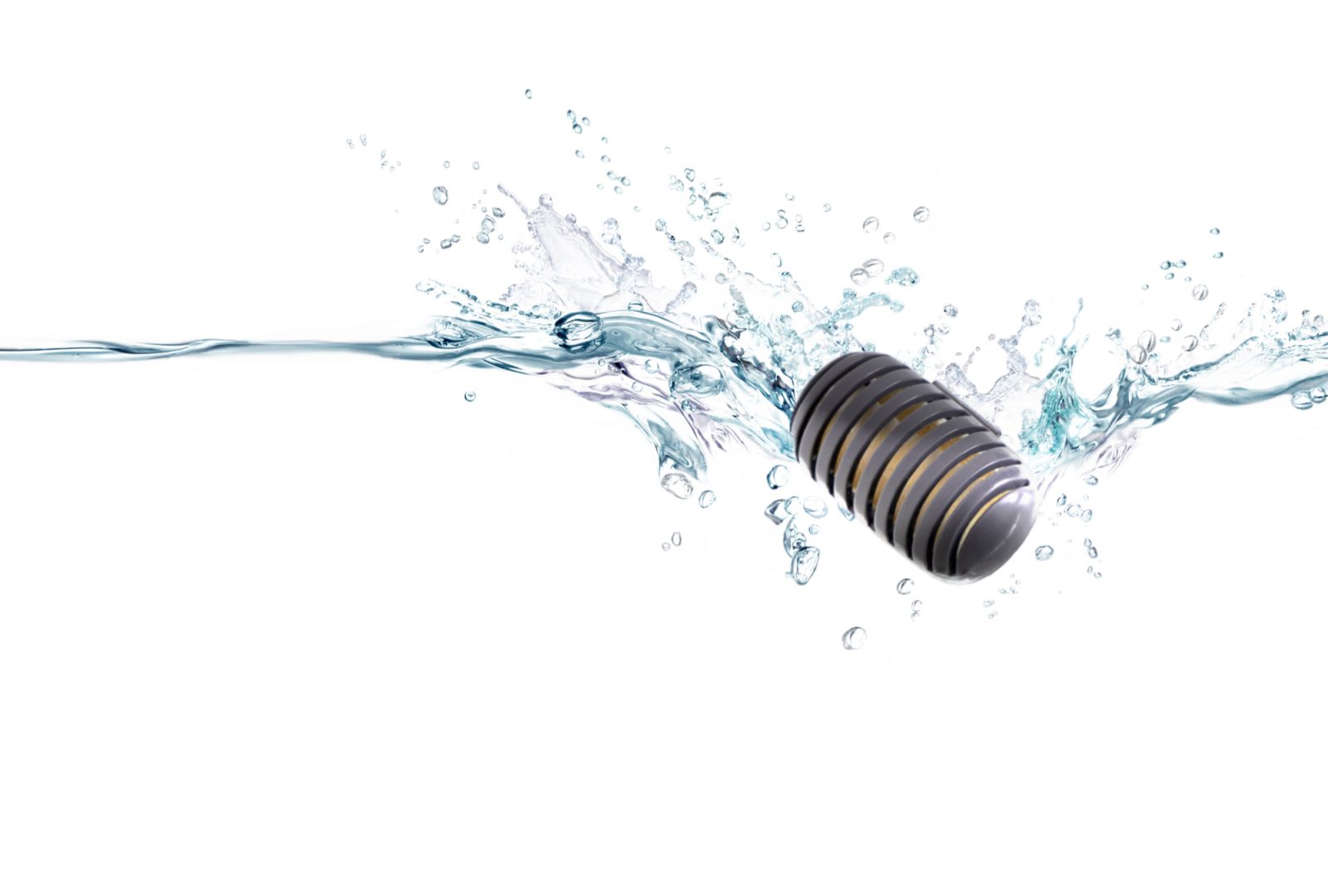
Benefits of using WINIX Demineralization Capsules
(sold separately for L100, L060/061)
- Reduces the mineral residue in your unit.
- Results in less cleaning and lengthens the unit’s lifespan.
- For optimal performance, replace each capsule every 10 tank fillings or when you notice an increase of white residue.
- The replacement period of the demineralization capsule could differ based on the quality of water.
- Consider using distilled water if white residue persists.
Warning: never use water softening additives in your humidifier.
| MODEL | TANK SIZE | FILLS |
|---|---|---|
| L200/L201 | 2.0 Gal | 5 |
| L100 | 1.0 Gal | 10 |
| L60/L61 | 0.6 Gal | 17 |
Can I remove the demineralization capsule and save it for future fillings?
No, the capsule is not reusable if you remove it from water. Once you have submerged the demineralization capsule in water, you have started the capsules lifespan. If removed from water (other than for tank cleanings) the effectiveness of the capsule will be lost.
Will the demineralization capsule remain effective if left in the same water for an extended time?
The capsule will not lose its effectiveness. The capsules efficiency does change according to the time period it has been submerged in the same water. The capsules efficiency changes when it is exposed to new water in the tank.
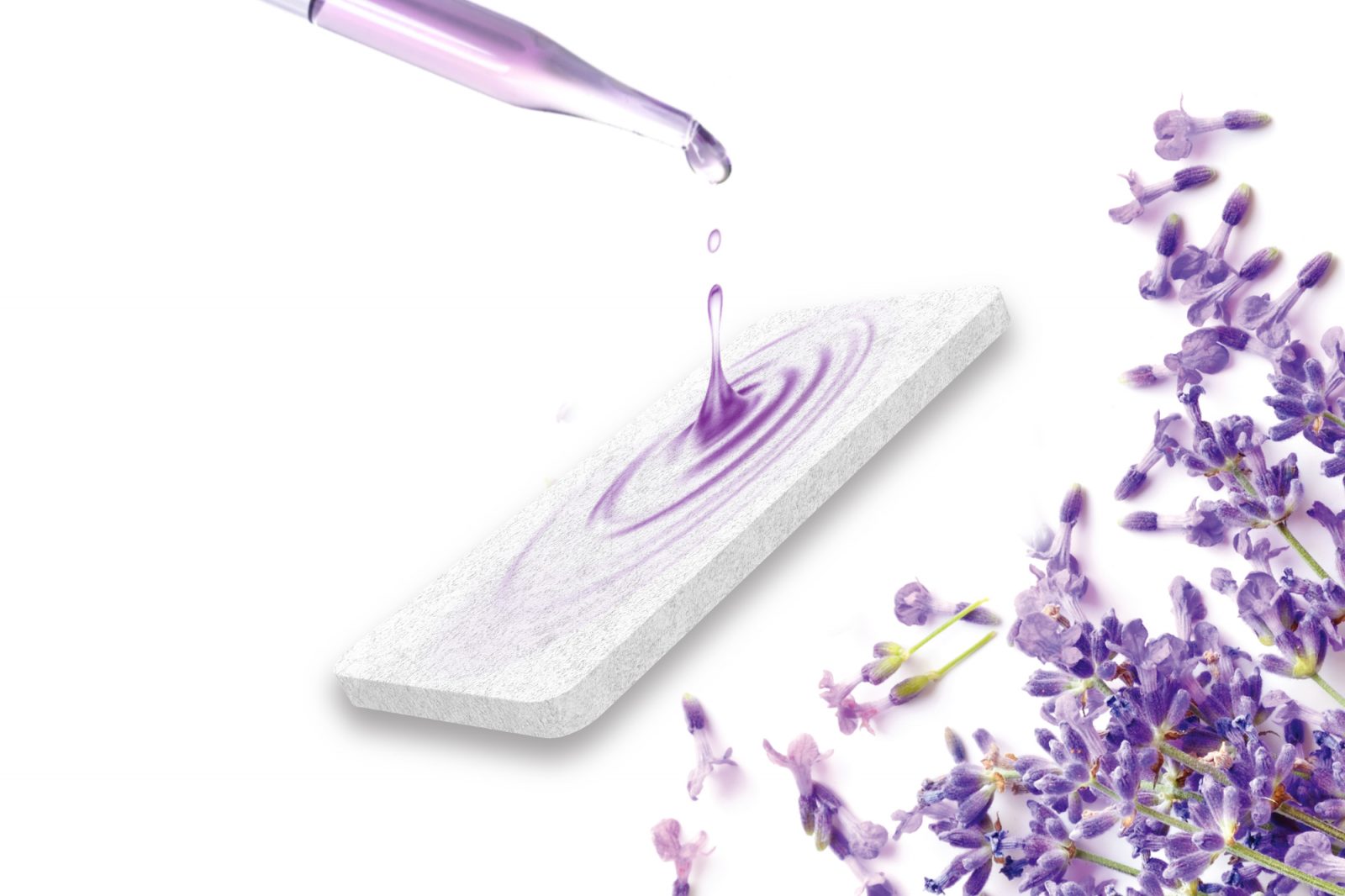
Benefits of WINIX Pre-Soaked Aroma Pads
- New design and soothing relief: WINIX Waterless Vaporizer Scent Pads are non-medicated refill pads designed with Polymer PP to release soothing relief vapors to enhance your humidification experience and to help provide added comfort.
- Provides long-lasting comfort per pad: Each pre-soaked aroma pad offers 48 hours of long-lasting comfort.
No spills or messy refilling: These refill pads are easy to use and install, preventing messy spills and doing away with the need for constant refilling. - These pads are designed for use with WINIX Ultrasonic humidifier products: L100, L200, L201.
- Humidifiers for bedrooms, desks, or tables: Our humidifier helps add comfort wherever you are.
Can I add essential oils to my Winix Humidifier?
It is not recommended that you add aromatherapy oils to either the L200 or L100 Winix Humidifier. The water tank for these two units were not tested to be compliant with any aromatherapy other than their designated pre-soaked aroma pads. Use of aromatherapy oils into the water tanks of these units may result in a defect, cease of operation and void of warranty.
Does the tank fill from the bottom or top?
Can the timer and humidity control work at the same time meaning it will turn itself off regardless of humidity level after timer expiration?
How does the Temperature settings work with the Humidistat?
The humidity you want achieved can be Increased or Decreased in Increments of 5% (40%-60%). If 45% is set, it will turn off once relative humidity reaches 50% and will kick back on once the relative humidity is 40% of below. For another example this is how the temperature settings will work:
When I put it on Humidity set mode (not continuous mode), the unit stops working regardless of which humidity level I set? Is this a defect?
This may happen when the humidity level close to the unit is not lower than 5% lower from your set humidity. In this case the unit will not turn on the humidification function. If you still want to have more moisture even at a level higher than 55% (which is 5% lower than the highest level of 60%), please use the continuous mode.
(Remember that it is based on the humidity level detected by the sensor inside the unit, which is detecting the humidity of the air very close to the unit, so it may be different from what your room humidistat will show you)
How do the Adjustable Mist Level icons work?
The mist level can be increased or decreased by pressing the Adjustable Mist Level. The Adjustable Mist Level will cycle up and down through the mist levels while it is running.
- For example, if you set the Mist Level to be 3, then the lights will sequentially flash up from 1, 2, 3 and then back down to 1, 2, and 3.

Will my unit keep running when there is no water left?
No, the unit will shut off when it is out of water because there is a water Empty Tank Alarm.
Night Mood Light
Depending on your Winix Humidifier model, the Night Mood Light will either dim or change the color of the lights on the unit.
For L200/L201/100
The Night Mood Light comes in four dimmable stages from 100% -> 50% -> 20% -> 0% (Off).
When set at 0%, the lights of the control panel and the light inside the tank will totally be off.
On other percentages, it will be dimmed according to the percentage.
For L200/201
In order to get the unit out of sleep mode when you are on 0%, press any button on the control panel to wake the display.
For L60/L61
There is no dimming function, but you can change between 3 Night Mood Light Colors (red, blue, amber) and turn the light off.
What room size can my humidifier cover?
All Winix Humidifiers can be used in various size of room depending on how fast you want the entire room to be have an increased level of moisture. It is recommended to use L200/L201 in a medium to large size rooms, L100 in medium size rooms, and L60/61 in small to medium size room to have comfortable humidity level in a short period of time.
Cleaning Care and Quality
How often should I clean it?
Clean the ultrasonic module of the humidifier at least once or twice a week.
How do you clean it?
Cleaning the ultrasonic transducer
- Tilt it in the direction of the air hinge when disposing of the water in the main body.
- Never touch the transducer/ultrasonic membrane with your fingers; the natural oils in the skin can damage the surface.
- Never clean the ultrasonic membrane by scraping with a hard object. Scratching the surface of the vibrator with a sharp object may cause the Mist Output to weaken or cause failure.
- Never submerge the base in water or any other liquid.
Deep cleaning (with vinegar)
- Before and after storing the humidifier for a long period of time, dry the water in the Mist Output completely and wipe it clean.
- Clean the tank, reservoir, tank cap, and the transducer / ultrasonic membrane with a 10:1 mixture of water and white vinegar.
- Fill the tank with diluted vinegar water to the maximum level. Put about 400 mL of mixed water into the main body.
- Fill the water tank and main body with water and leave for 30 to 60 minutes.
- Pour mixed water and rinse with clean tap water 2 to 3 times.
- Dry the parts in a well-shaded place.
- Reassemble the dried unit.
How Long will it take to humidify my room?
In order for the room to be fully humidified to the level that you had set, it may take a few hours depending on the room size that you are using.
- The L200 can only detect the humidity close to the air inlet grill
(With the air that is being sucked into the sensor inside the grill)
- There is no air flow speed further than 3.9in(10cm) away from the inlet grill
The air is being sucked in through the small inlet grill in the back of the unit, and the humidity sensor senses the humidity level based on that.
What is LightCel™ UV+ LED Technology?
LightCel™ UV+ LED Technology removes contaminants present in water, ensuring a healthier mist for you and your family.
Troubleshooting
Why is my humidifier shutting off when my thermostat says it’s at a lower humidity?
Unlike other air treatment devices (Such as Air Purifiers or Dehumidifiers), a humidifier gives out a very small output of air flow from the unit. So, the humidity level sensed in the machine could be different from the room humidity, and the unit is run based on the humidity of the air being sucked into the unit during Humidity set mode.
In order for the room to be fully humidified to the level that you have chosen; it may take a few hours depending on the room size that you are using.
Please make sure to ensure a certain distance between the unit’s inlet grill (in the back of the unit) and the wall (12~18 inches). In case it is too close to the wall, the output mist may be sucked into the inlet grill, causing the sensor to sense higher humidity level than normal)
Pressing the power button does not work.
There is no steam coming out.
- Is the water tank empty?
– Please put more than half of the water in the water tank.
- Is the nozzle and cover well seated?
– Please install the cover correctly.
It has a strong odor.
- Is the interior of the humidifier or water tank contaminated?
– Clean the inside of the main body and the water tank.
- Did you leave the water in the water tank and humidity reservoir unattended?
– Change the water in the water tank with new tap water every day. Also, throw away the remaining water from the main body and the water tank every day.
The Empty Tank Alarm isn’t turning off.
- Is it immediately after setting up the water tank?
– After a few moments, the water in the water tank fills the reservoir and the Empty Tank Alarm turns off.
- Is it tilted?
– Drain the water inside the humidifier and place it on a flat, stable surface.
No mist comes out, or the buttons do not work.
Only a small amount of mist comes out of the mist outlet.
- Press to use a higher mist setting.
- There may be mineral buildup inside the base.
- Clean the transducer with a cleaning brush and white vinegar.
- Water may be dirty or has been sitting in the tank for a long period of time.
- Clean the humidifier and refill with clean water.
- Make sure the air outlet is not blocked.
Humidifier runs out of water too quickly.
Humidifier produces an unusual smell.
White dust appears around the humidifier.
Water leaks from the humidifier.
- Make sure the tank is properly placed on the base by aligning the indicator marks. Make sure the sealing ring inside the water tank is securely in place.
- If necessary, clean the sealing ring and make sure it can open and close normally.
- Make sure the float is correctly installed and securely in place.
General Air Purifier Questions
Why doesn’t my unit draw in water?
Winix Dehumidifier’s may not be drawing in water for several reasons:
- If the units has been drawing in water for the past few weeks, it could be because the unit is working properly and has already reduced the overall humidity level in the room.
- If you are using the pump function, the pump may be turning on when you are not there and emptying the bucket.
- Is it cold outside? Sometimes the moisture within the air is already low. This is especially true in cooler months, and a dehumidifier may not be needed at this particular time.
- The temperature is below 65 degrees F. When temperatures are around 65 degrees and below, there is a likelihood for frost to develop on the evaporative coils depending on the moisture level in the air. When this happens, the compressor will NOT run (the part responsible for dehumidifying) and the fan will run to try and melt the frost. Because the compressor is not running, it cannot draw water in the bucket. The frost must first be removed and or the temperature must rise before the compressor will turn on again and dehumidify.
- Please note: water in the bucket may not be immediate; you must allow it to run for a length of time.
Why is my unit leaking?
Please remove the cover from the gravity drain side located at the back of the unit. You will see a drain pipe. This is about a ½” wide and goes up 3″ so you will need something flexible to clean it out with. You can use pipe cleaners or a flexible drinking straw to do the following: Insert 2-3 pipe cleaners through that opening to unclog and clean the sludge buildup. Be careful when doing this as there may be water inside that may rush out once it’s unclogged/cleaned out.
How do I remove the pump hose?
Turn off the power; where the connection of the hose is located there is a white “quick-connect” fitting (locking ring). Taking your fingernail press the ring in. While holding the ring flush against the fitting, pull the hose out with the other hand.
How should I clean the unit?
Most important part to clean is on the front gill and filter. Remove the filter and clean. If the filter gets too dirty, it may restrict air flow and reduce performance. All other areas of the unit may be cleaned with a mild detergent and damp cloth.
How do I clean the filters and how often?
Remove the front grill by pulling from the base and lifting off the top. The filter will be located right behind it. Remove the filter and clean by wiping it down with a damp cloth or paper towel, or even running it under a faucet can work as well. Attach the filter back to the unit and install the front grill by placing the tabs at the top first and snapping the base back into place.
How much water does the bucket hold?
16.88 pints; however this is a common misconception about the pint capacity; the unit will be rated depending on how much moisture it will remove in a 24 hour period. So you will have to empty the bucket several times a day to meet the rating.
How much energy (electricity) does the dehumidifier use?
With a high fan speed, the 50 pint models use about 640 watts and the 70 pint uses about 710 watts. Both versions and all of our units are energy star qualified/certified.
How high can the pump vertically push the water out of the hose?
The units comes with a 18″ long hose, but it is recommended that one pumps a maximum of 15″, to ensure the pump works efficiently.
The unit never shuts off, is this normal?
First check to make sure the unit is not in continuous mode; if not, the humidity in the room is higher than the set humidity level that you programmed. The unit will thus continue to run until it has reached its target level.
- Example: Set target to 50% humidity; humidity in the room is 80%, the unit will continue to run until the unit detects 50%
- You may either increase the target humidity level to a higher level or set the unit in off timer mode (for models: WDH751 & DHD501), or cycle mode (for models: WDH851 and WDH871). This will run for a set amount of time before turning off; this is ideal for the warmer parts of the day.
The dehumidifier seems loud?
Dehumidifiers are generally loud machines; they have both a motor to run the fan, as well as, a compressor to dehumidify which may not only be loud at times, but may also have poor sound quality. Typically, dehumidifiers are placed in areas of the home that are not used often because of the noise the unit produces. The noise level is comparable to window air conditions.
The dehumidifier is vibrating?
Due to the compressor, the dehumidifier will not only make a loud noise when running, but it will also create a vibration, which is normal. If the unit is on an uneven surface, it may vibrate even worse.
The Bucket Full light is on, but the bucket is empty?
Make sure the bucket is seated completely flush inside the unit. It may take effort to remove the bucket and reinsert it by tapping it to ensure it has a tight fit. If still on, remove bucket and check the float to ensure it is operation properly by moving it up and down. There are plastic tabs that keep it in place and sometimes that can come out causing this error.
The pump is running, but no water is coming out?
- Check the line of the pump drain tube, please make sure there are no tight bends or crimps in the hose line.
- Remove the hose and make sure there is nothing inside the tube, blocking the line.
- Unplug the unit, remove the hose, reinstall the hose and plug it back in.
- Remove the bucket, there is a connection at the base of the bucket you need to find. Re-insert the bucket back into the unit and make sure the bucket is completely seated to ensure that seal is tight against the unit. If the seal is not connected, the pump may run with no water able to pass from the bucket to the unit.
An E3 error is shown on the display?
E3 is an error case in which the unit believes there is blockage in the line. There could be several causes.
- Check the line of the pump drain tube, please make sure there are no tight bends, or crimps in the hose line.
- Remove the hose and make sure nothing inside the tube is blocking the line.
- Unplug the unit, remove the hose, reinstall the hose and plug the unit back in.
- Remove the bucket, there is a connection at the base of the bucket that you need to find. Reinsert the bucket back into the unit and make sure the bucket is completely sealed to ensure that seal is tight against the unit. If the seal is not connected, the pump may run, but no water will be able to pass from the bucket to the unit.